Simple LatLon
A super simple Mac app that shows the latitude and longitude of any place as decimals, each with its own copy button.
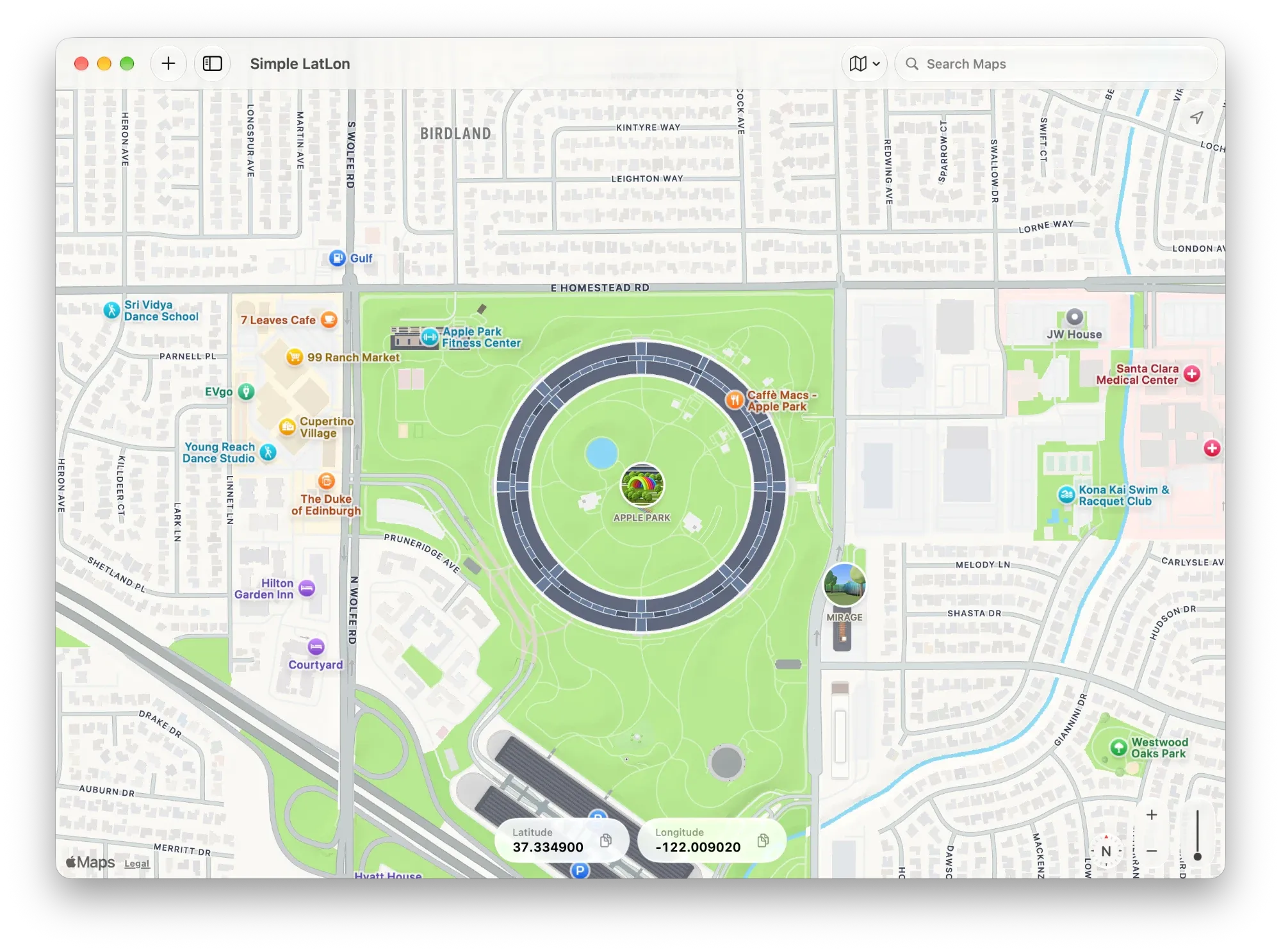
Getting a custom location into Simulator shouldn't be so hard
Xcode's Custom Coordinates dialog asks for a latitude and a longitude as decimals in separate fields. It doesn't save between sessions, and you can't save presets.
Apple Maps and Google Maps don't make those numbers easy to find. The websites that do are covered in ads, and many copy the wrong format or have no copy button at all.
- Find the placeSearch for it or move the map. The latitude and longitude are always on screen, as decimals.
- Copy each numberLatitude and longitude have their own copy button, so each one pastes straight into its Simulator field.
- Save the places you test withSaved locations stay in the sidebar and sync through your iCloud account.
- Nothing elseNo ads, no accounts, no subscriptions and no tracking.
need help? e-mail me!
spencer@holtawaydesign.comView privacy policy
Simple LatLon Privacy Policy
Last updated: November 12, 2026
Simple LatLon doesn't collect any personal information. There are no accounts, no analytics, no ads and no tracking.
Your location
If you allow it, Simple LatLon uses your location only to show where you are on the map, so you can copy your current coordinates. Your location isn't stored or sent to us. You can turn off location access at any time in System Settings > Privacy & Security > Location Services.
Maps and search
The map, place search and place names come from Apple Maps. When you search, or save a location, the search text or the map area is sent to Apple so it can return results. Apple handles this under its own privacy policy: https://www.apple.com/legal/privacy/
Saved locations and recent searches
Recent searches are stored only on your Mac. Saved locations are stored on your Mac and in your own iCloud account, so they come back if you reinstall the app or use a new Mac. We can't see this data. You can delete it at any time from inside the app.
Children
Simple LatLon doesn't knowingly collect information from anyone, including children.
Changes
If this policy changes, the new version will be posted here with a new date.
Contact
Questions? Email spencer@holtawaydesign.com.